
Limble Summer Release: 5 New Features Shaping the Future of Maintenance
Maintenance teams today are under more pressure than ever with a skilled labor shortage, rising compliance and audit demands, and the mandate to do more with less has never been stronger. Too often, leaders are stuck juggling spreadsheets, manual processes, or tools that don’t connect. The result? Overwhelmed technicians, incomplete work, and inaccurate data.
At Limble, we believe maintenance shouldn’t just keep the lights on, it should drive the business forward. Our mission is simple: help maintenance leaders build smarter, more efficient, and future-ready operations. That’s why our summer release delivers five major new features that directly address today’s biggest pain points. From AI-powered preventive maintenance setup to workforce planning, global reporting, and cleaner data intake, this release equips teams with the tools they need to run maintenance as a strategic function, not just a support role.
What’s New
AI-Powered PM Builder
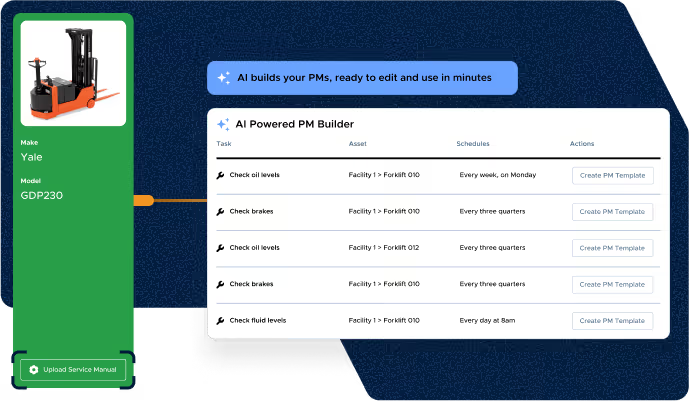
Creating preventive maintenance (PM) schedules from manuals can take hours, and leaves plenty of room for error or inconsistency. Limble’s new AI PM builder changes that by scanning asset manuals and suggesting draft PM schedules in seconds. Super users can then review, edit, and publish the AI’s recommendations in minutes, ensuring OEM standards are followed while saving time and reducing compliance risk.
Resource Planning (early access)
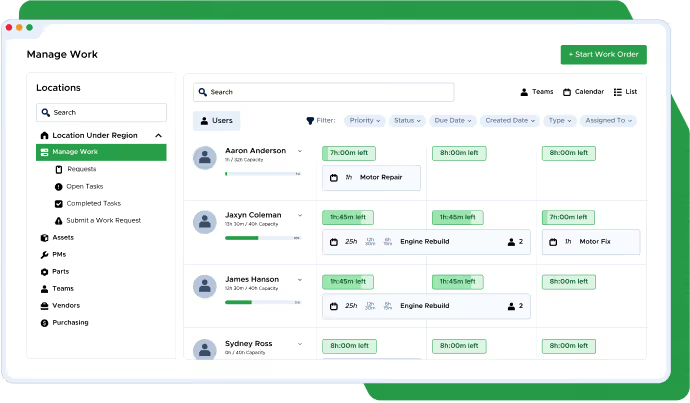
Many maintenance managers still rely on spreadsheets and whiteboards to plan technician schedules, making it nearly impossible to see overloads, justify staffing, or prevent overtime. Resource Planning delivers a leap forward in holistic workload and capacity management across teams, with a native, drag-and-drop planner view within Limble. Managers can see each technician’s real-time capacity, balance workloads, account for PTO, and adjust assignments instantly.
The result: faster planning, fewer surprises, and data-driven staffing decisions. Join the waitlist.
Work Request Review & Approval
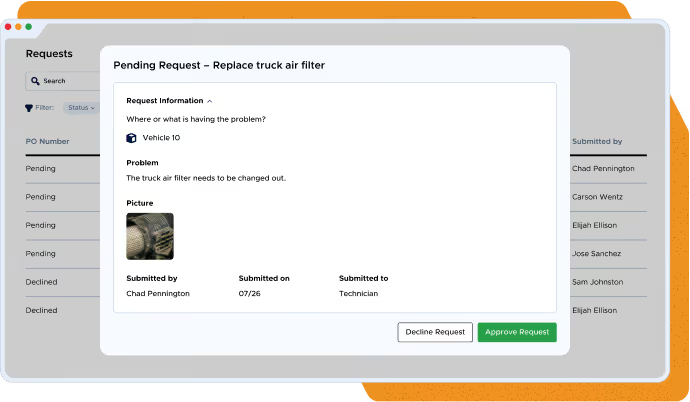
Incoming work requests are often noisy, invalid, or misrouted, overwhelming technicians and muddying reports. With Work Request Review & Approval, teams can add an optional approval step before requests become tasks. Managers can filter, approve, or decline requests with clear reasons, keeping techs focused on the right work and improving data quality.
Asset Templates
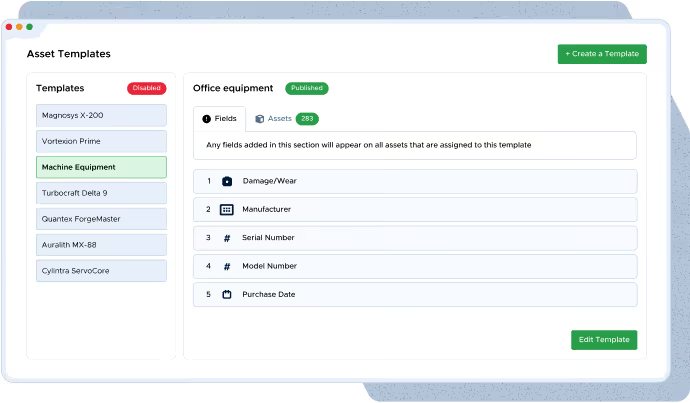
Clean data is the foundation of reliable reporting. Asset Templates allow super users to enforce standardized asset fields across new and existing assets. By reducing manual entry and preventing inconsistencies, this feature ensures that reporting is accurate and scalable — especially for enterprise teams managing thousands of assets.
Multiple Currencies
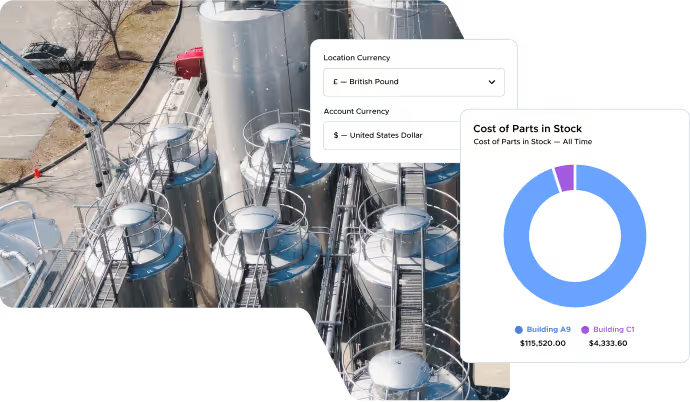
Global organizations often struggle with inconsistent reporting and conversions. With Multiple Currencies, each site can operate in its local currency while maintaining accurate roll-up visibility. That means less manual conversion, fewer errors, and more meaningful reporting for executives and finance teams.
Looking ahead
The summer release is more than just some new features, it is a signal of where maintenance is heading. AI-Powered PM Builder and Resource Planning show how Limble is using intelligence and real-time visibility to help teams work smarter, not harder.
Work Request Review & Approval, Asset Templates, and Multiple Currencies strengthen the foundation by making data cleaner, reporting clearer, and intake more controlled.
Together, these innovations move maintenance from a reactive cost center to a strategic function that drives efficiency, compliance, and business continuity.
Be among the first to try AI-Powered PM Builder and Resource Planning through early access, or start using the other new features live in your Limble account today.