
Limble vs Brightly: A 2026 CMMS Comparison
Limble and Brightly both serve facilities and maintenance teams, but they're built for different environments.






Limble is built for maintenance-first operations: manufacturing, industrial, and multi-site teams that need fast technician adoption and quick time-to-value. Brightly is built for institution-scale facilities like K-12 districts, campuses, and municipalities, with capital planning and energy management layered on top of maintenance.
If you're managing long-term capital projects across an institution, Brightly's planning tools are built for that specific job. If your priority is getting technicians actually using the tool and seeing ROI fast, Limble is the stronger fit.
How Limble and Brightly compare at a glance
Brightly Software (formerly Dude Solutions, acquired by Siemens) brings strong capital planning and energy management tools for institution-scale facilities. Limble's strength is maintenance depth: technician adoption, implementation speed, and support that holds up under daily use.
Compare Features

Limble holds a 4.8★ rating on G2 (688 reviews, as of October 2026) and 4.8★ on Capterra (757 reviews, as of October 2026). Limble was also named a Leader in the Verdantix Green Quadrant for Industrial CMMS (2025) and won a 2026 G2 Best Software Award.
Which Platform fits your team
Maintenance-first teams
Choose Limble if you're running maintenance-first operations (manufacturing, industrial, or multi-site teams) where technician-first mobile work and fast time-to-value matter most.
Institution-scale facility
Choose Brightly if you're managing an institution-scale facility (K-12, campus, or municipal) with existing investment in SchoolDude-style workflows, where capital planning and energy dashboards are the primary need.
Limble isn't only for industrial teams.

Hood River County School District, an Oregon district of five elementary schools, two middle schools, and a high school serving 3,700+ students across 533 square miles, used Limble to clear a backlog they expected would take years in a matter of months, and now keeps outstanding work orders to around 30 at any given time.

Grove City College, a private college of about 2,200 students in Western Pennsylvania, moved off an outdated SchoolDude (now Brightly) system and completed over 2,000 work orders in a single summer with Limble. If your facilities operation is maintenance-heavy even within an institutional setting, Limble is worth a look regardless of vertical.
Flexible pricing options, for small and large maintenance teams
Compare Features

*The features listed highlight select differences and are not comprehensive. For full details, please refer to the respective product websites. Comparisons are based on information available to Limble as of October 2026.
Built for teams that never stop
Limble’s versatile CMMS and EAM software is user-friendly, feature-rich, and backed by enterprise-grade support. Enjoy total clarity and control with the maintenance system that grows with you.
The Limble mobile app is built for technicians working the floor, not the office. It supports continuous shift handoffs so nothing gets lost between crews, and quick inventory lookup from a work order.
- Offline mode: A spotty signal doesn't stop work from getting logged — everything queues and syncs once the connection is back.
- QR/barcode scanning: Scan an asset's code to instantly pull up its history, open work orders, and manuals.
- Work-request portal: A self-serve portal lets anyone in the building submit a maintenance request without needing an account.
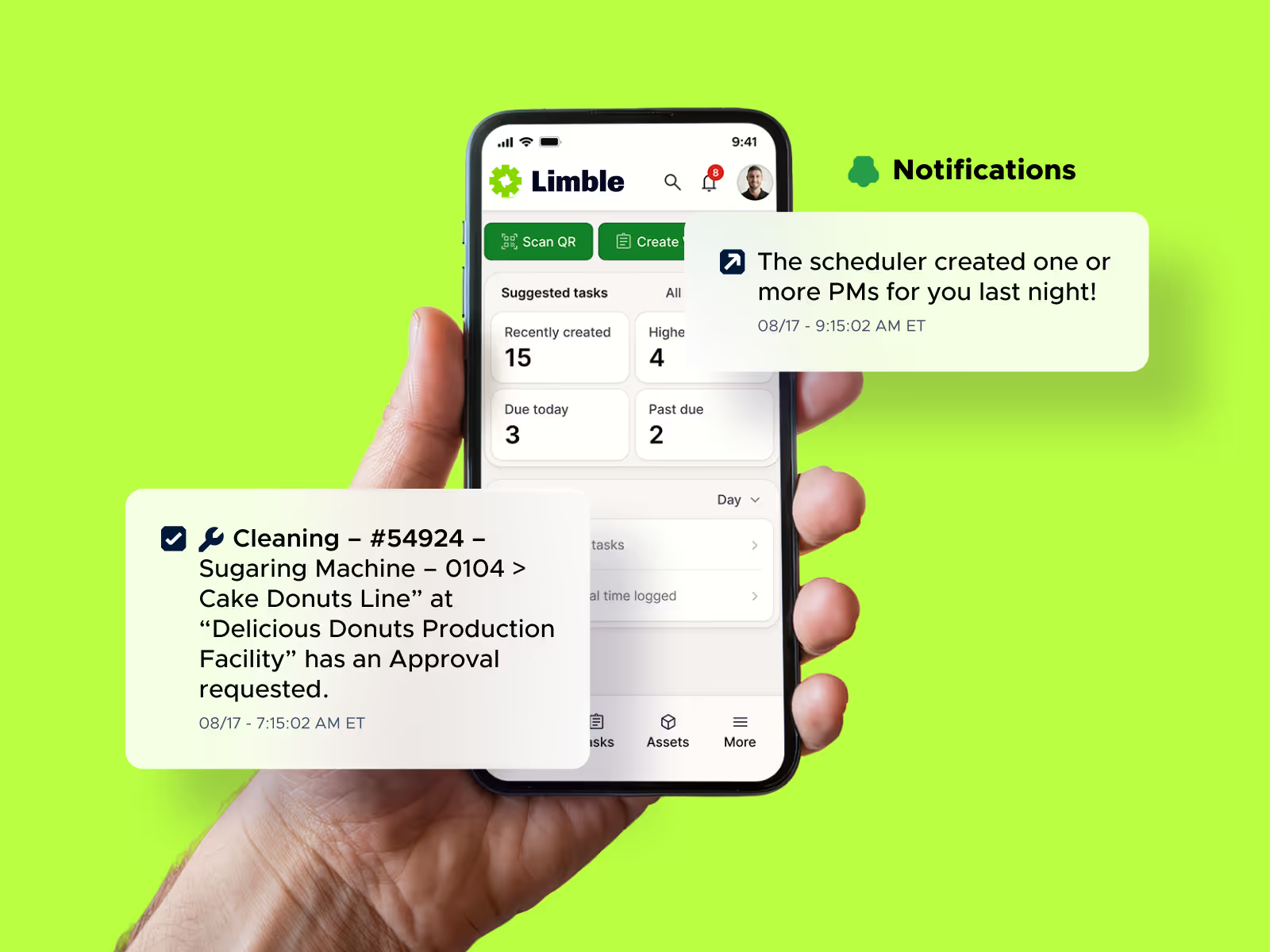
At Powder Mountain, a Utah ski resort's lift maintenance operation, the mobile app and QR-code-based PM workflows cut lift downtime response time by more than 50%, reducing mean time to resolution from 6–7 minutes down to 3 minutes.
Limble is SOC 2 Type II certified and undergoes regular penetration testing. Details are available in the Limble Trust Center.
Data security is a legitimate criterion on any CMMS shortlist.
Limble is built to get technicians using it quickly, not just to get it installed. Most facilities complete initial configuration and go live within 2–4 weeks, well under the 6–12 months implementation often takes with legacy CMMS platforms. Free guided onboarding is included, and Premium+/Enterprise customers also get a dedicated Customer Success Manager.
At Red Hawk Casino, staff were trained on Limble in an average of 30 minutes, and the team cut reactive maintenance by 73%. Tara Manufacturing began seeing results within a few weeks of rollout. Automated PM scheduling and QR-code-based asset lookups helped them cut downtime by roughly 75–83% and save over $100,000 in their first year.
Limble support offers a 15-second median support response time and is available 24/7 across phone, email, and chat on every paid plan. Every customer gets that same 24/7 access regardless of plan size. Premium+ and Enterprise tiers add a dedicated Customer Success Manager on top, but core support isn't held back for lower tiers. That's a real advantage against a larger, more layered tool like Brightly.
Ready to learn more about Limble?
See how Limble fits your team: Book a demo or use our pricing calculator to get a cost estimate in a few minutes, no sales call required.