
Maximize uptime with an EAM your team will actually use
One place to track, manage, and schedule preventive maintenance on all of your assets. Keep machinery and equipment at peak performance, no handwritten reminders required.


Minimize downtime
Maintain full operational efficiency by quickly completing work orders and staying on top of preventive maintenance.

Avoid emergencies
Build a strong preventive maintenance strategy that everyone is accountable for, reducing the cost and stress of last-minute fires.

Stay safe and compliant
Configure the platform to meet specific compliance standards and track a detailed work history on each asset.
Quickly organize, search, and filter thousands of assets
Organize assets and their related parts in a configurable, flexible system, using as many custom fields and hierarchy levels as you need. If you’re out on the job, pull up asset details straight from a barcode and QR code.

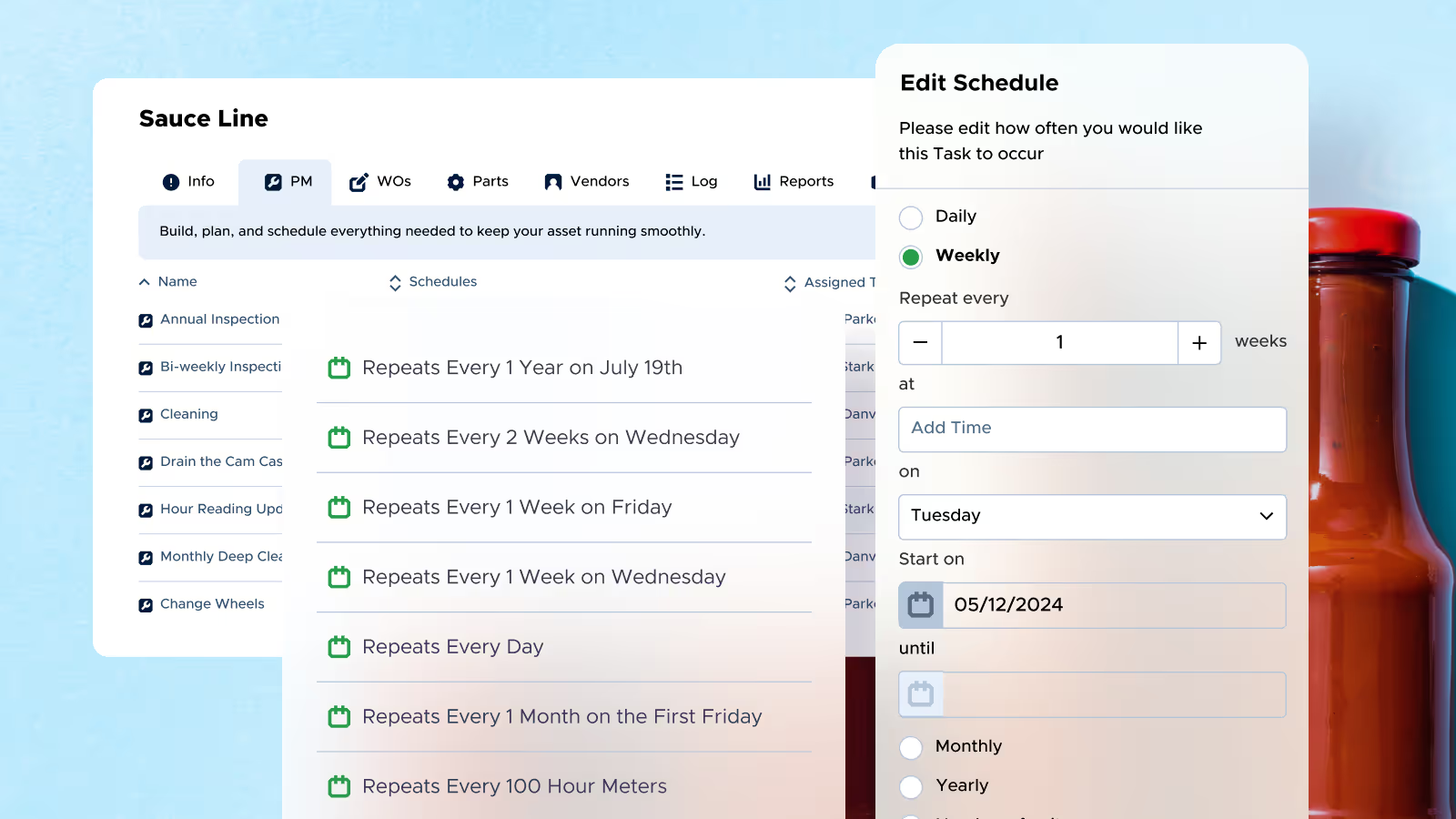
Auto-schedule maintenance, parts replacement, and inspections
Maintain assets proactively with PM templates and schedules for each of your assets. Create inspection checklists or customize templates to fit just about any recurring task.
See your entire asset history at a glance
With Limble, you can quickly pull up essential asset information like open work orders and planned maintenance tasks, or deep dive into a complete asset history across multiple facilities.

Track completion and performance metrics by asset
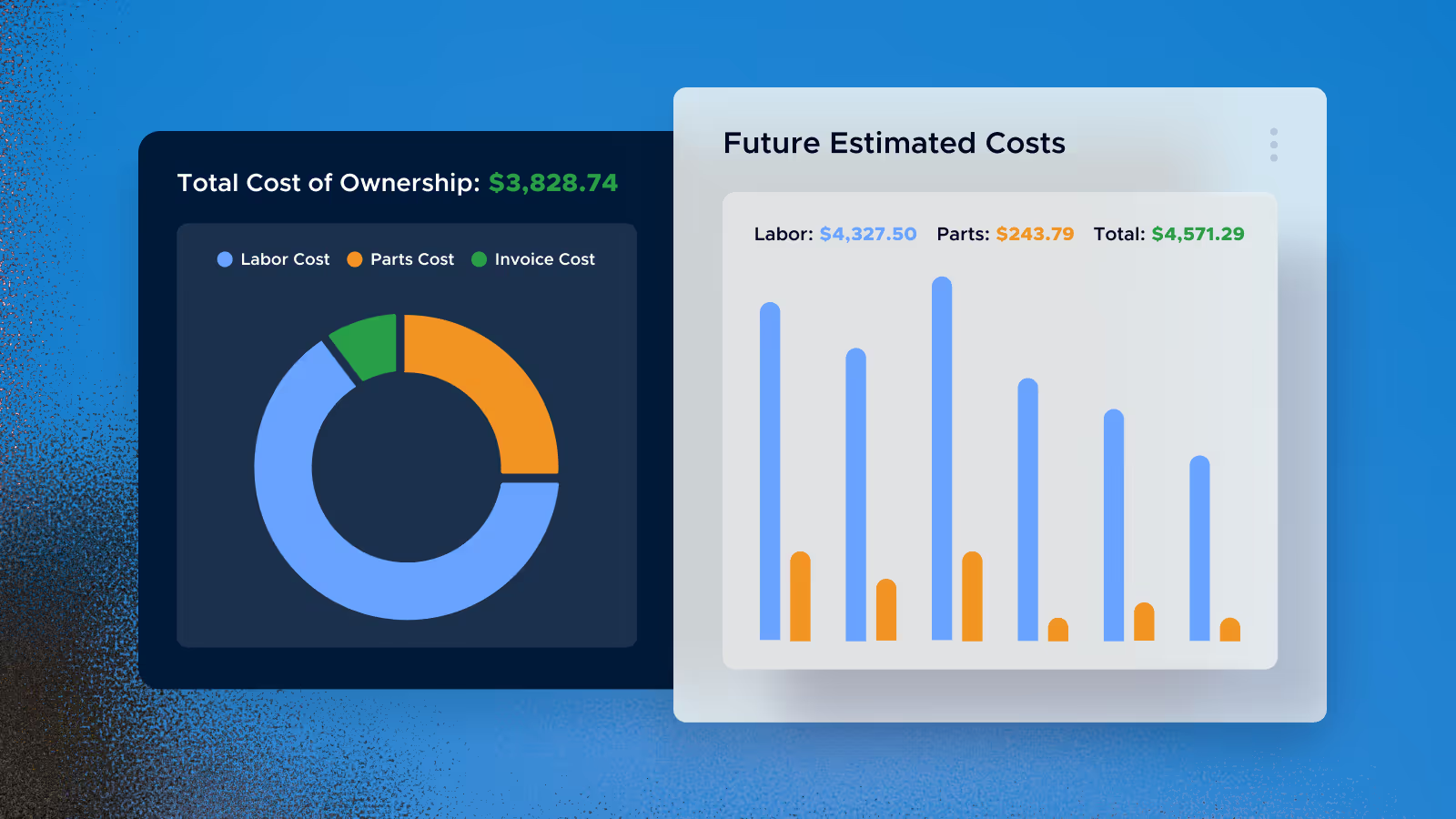
Monitor each asset’s unplanned downtime, cost of ownership, depreciation, and more. Limble helps you understand which assets are draining resources and which are boosting production.
Proven results, measurable impact





Ready to learn more about Limble?
FAQs
With Limble, you can pull up important asset information like open work orders and planned maintenance tasks, or dive into a complete asset history across multiple facilities. You can scan a barcode or QR code to bring up asset details on the spot. We give your staff access to a single source of asset data and maintenance history from anywhere in the field.
We track unplanned downtime, cost of ownership, and depreciation for every asset. Your dashboard shows labor, parts, and invoice costs broken out visually, along with future estimated labor and parts costs, so you can see total cost of ownership at a glance.
Limble is built on a scalable, cloud-native architecture designed to support teams from their first facility all the way to becoming a global enterprise.
Yes. We support bulk import of assets, PM templates, work order templates, completed tasks, vendors, and parts via CSV or Excel spreadsheet, so your existing data doesn't have to be re-entered by hand. Asset imports are capped at 2,000 assets and 50 custom fields per batch. PM template imports are capped at 100 per import. Photos and documents aren't included in bulk imports and can be added manually afterward. If you're bringing over your team's work history, you can import completed tasks from your previous CMMS or program so that history carries into Limble with you.
We let you configure the platform to meet the specific compliance standards that apply to you, and track a detailed work history on every asset, so you're ready when it's time for an audit.