
Meet the New Limble Mobile App: Built for Technicians, by Design
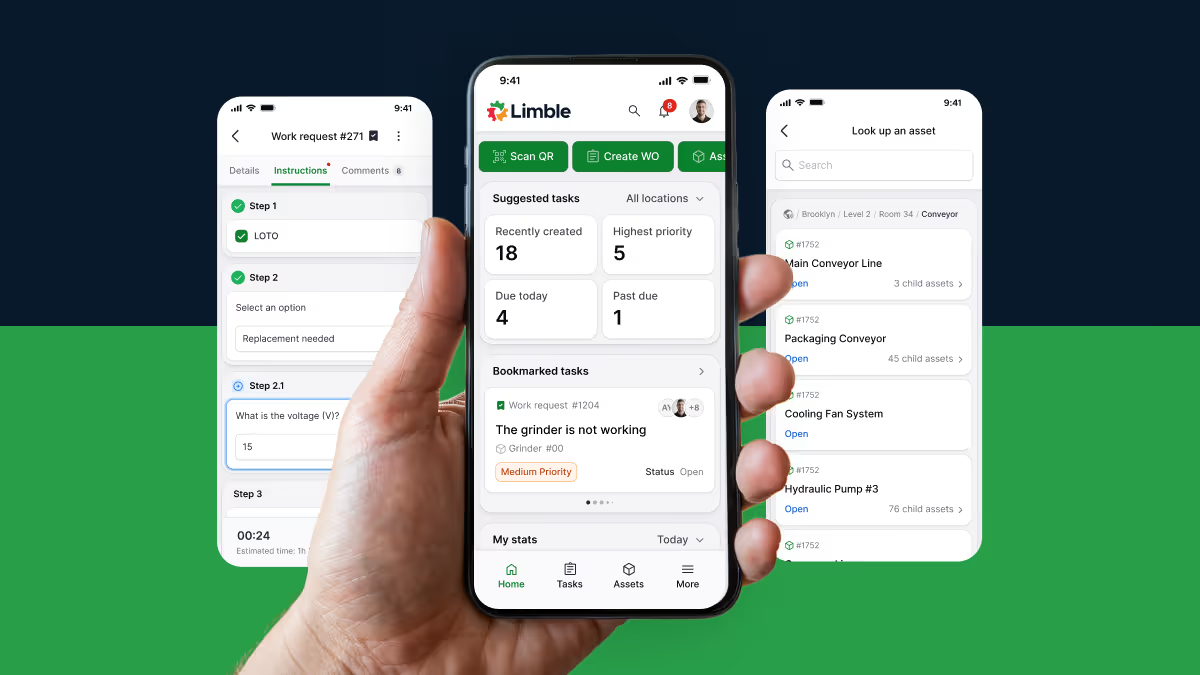
Limble has always championed a technician-first approach to maintenance. When technicians have the right tools in place, they can focus on the work that actually matters.
Across thousands of customers, we’ve seen how central mobile has become to daily maintenance operations. Technicians rely on phones and tablets to complete work orders, find assets and parts, capture data, and stay connected, often in demanding conditions with limited connectivity, tight timelines, and no patience for tools that slow them down.
As mobile became essential to execution in the field, we saw an opportunity to raise the bar even further. Rather than layering incremental updates onto a legacy experience, we made a deliberate decision: rebuild Limble mobile from the ground up.
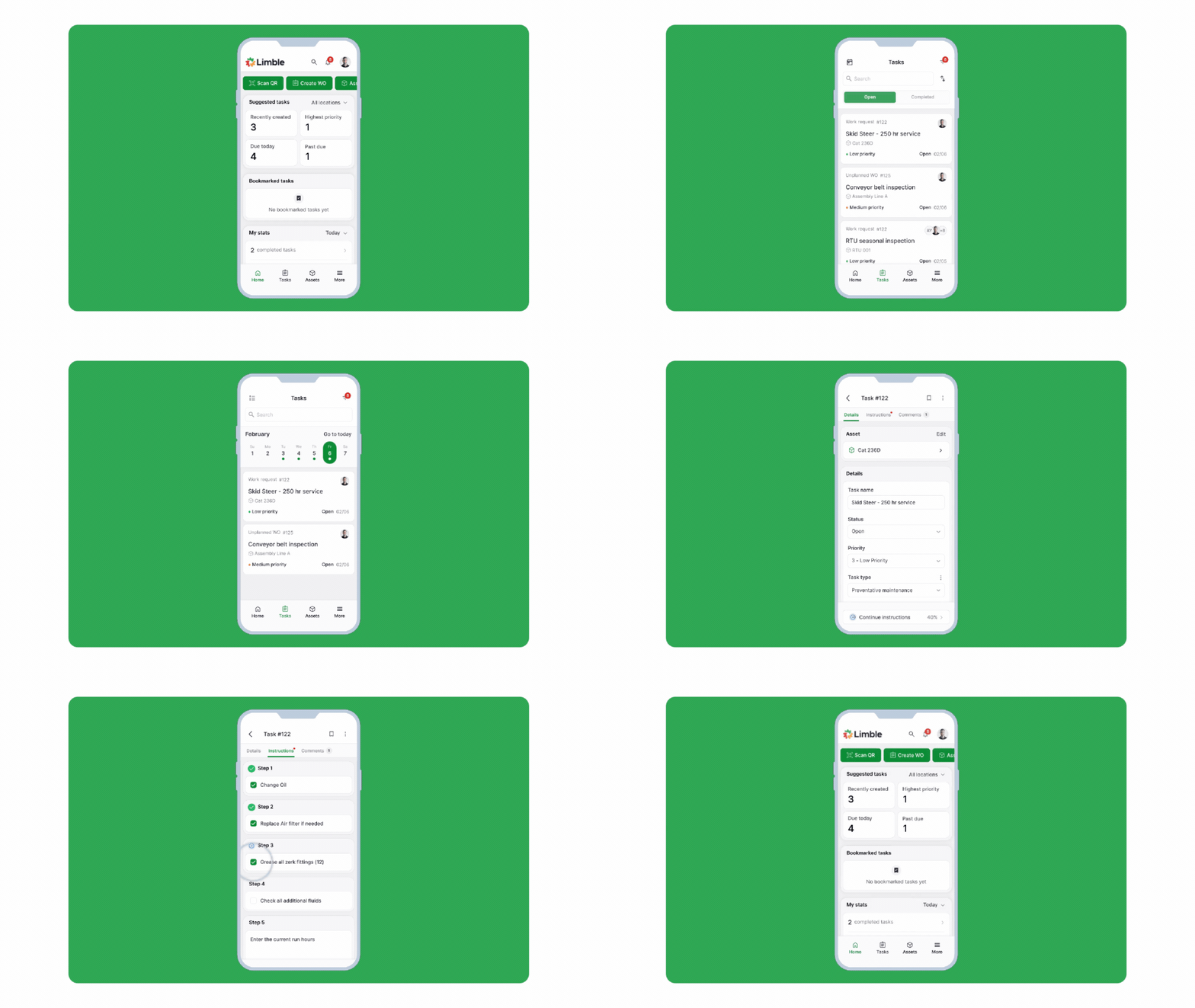
Why we took a technician-first approach to mobile
When rebuilding the Limble mobile app, we started with a simple question: What does a technician need to get work done quickly and confidently in the field?
That focus shaped every decision. We prioritized speed, reliability, and ease of use over feature sprawl, designing for real-world execution – completing work orders, finding assets, capturing critical information, and staying connected without unnecessary friction.
More advanced configuration, reporting, and system management remain on desktop, where they’re easier to manage and analyze. Each surface is optimized for its role, creating a clearer, more effective maintenance experience overall.
What technicians see on day one: Less friction, more focus
This technician-first focus shows up immediately in the new Limble mobile app:
- Faster load times and major stability improvements
- A simplified navigation experience
- Expanded offline mode for when connectivity is unreliable (available later in March)
Customer feedback reinforces that we’re on the right path. Teams using the new Limble mobile app consistently point to faster adoption, improved usability, and a simpler day-to-day experience for technicians.
“The new mobile app feels simpler for technicians, with less cognitive load,” said Ben Schrandt, Program Data Analyst for the City of Albuquerque. “After just one day of training, our team was already confident using it.”
Across customers, we consistently hear the same themes: faster performance, easier navigation, and greater confidence in the mobile experience compared to legacy tools.
What this means for Limble customers: Faster adoption, better execution
Limble will continue to support the legacy Limble CMMS mobile app during the transition, but we encourage customers to try the new mobile app for a faster, more seamless technician workflow.
There’s no migration required. Just download the new app and log in with your existing account.
The new mobile app is launching with English-language support, with additional languages planned for the coming months as part of a phased rollout. Our development team will also be building out dashboards and purchasing functionality in the coming months.
If you have questions or feedback on the new mobile app, our support team and customer success managers are ready to help. We’re excited to see how your team puts the new Limble mobile app to work, and we can’t wait to hear what you think.